Do You Need a DAC or Amp for Gaming?
Do you need a DAC or headphone amp for gaming? What they change, what they cannot (footsteps are set by the game mix), and a three-step test.
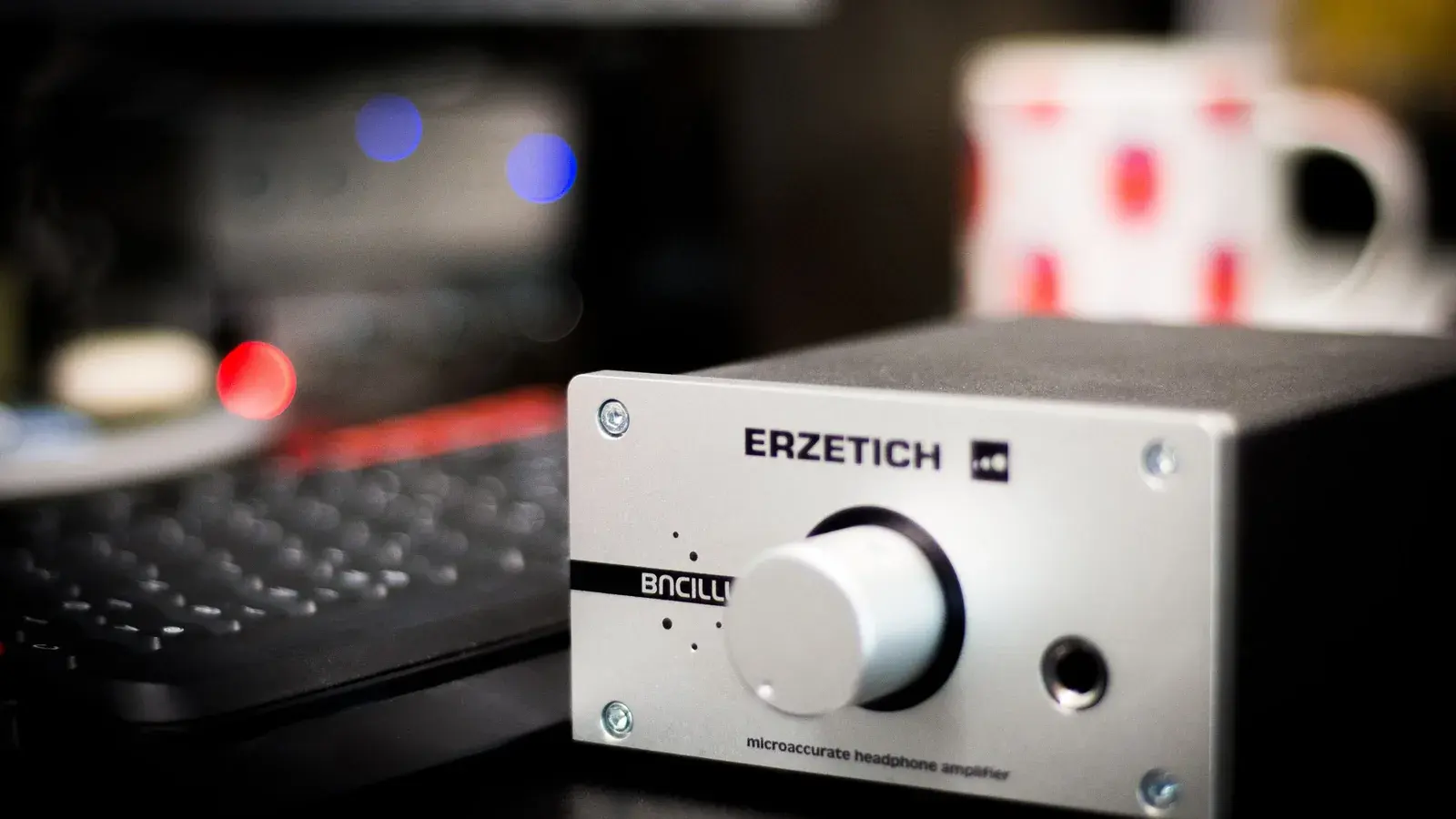
Most gamers do not need a DAC or headphone amp. An external DAC is worth it when your onboard audio has audible hiss or buzzing from the graphics card, and an amp is worth it when your headphones are hard to drive and sound quiet or thin. Neither will make footsteps louder: that is decided by the game's own audio mix, and your headphones matter far more than the chip decoding the signal.
Audio marketing in the competitive gaming sector frequently claims that purchasing an expensive external Digital-to-Analog Converter (DAC) and headphone amplifier will reveal hidden enemy footsteps and subtle audio cues that onboard motherboard audio cannot reproduce. While clean audio hardware plays a legitimate role in sound reproduction, understanding what a DAC and amplifier actually do—and what they cannot do—is essential for making informed hardware decisions.
The Signal Chain: Digital Bits to Sound Waves
To understand the role of dedicated audio hardware, we must trace the entire audio signal path from the game engine to your eardrums:
- Game Engine Audio Pipeline: The game engine calculates positional audio, reverbs, and occlusion based on player coordinates and geometry, outputting digital pulse-code modulation (PCM) audio streams.
- Digital-to-Analog Converter (DAC): Receives the stream of digital binary zeros and ones and converts them into a continuous, low-voltage analog electrical waveform.
- Headphone Amplifier: Takes the delicate analog signal from the DAC and amplifies its voltage and current so it can physically drive the voice coils and diaphragms of your headphones.
- Headphone Transducers: Convert electrical energy into physical mechanical vibrations, generating sound pressure waves in the air.
The acoustic tuning, frequency response, and driver characteristics of your headphones have a vastly greater impact on spatial localization than the DAC chip decoding the digital signal.
DAC Performance Metrics: Signal-to-Noise Ratio and Noise Floor
A DAC is responsible for accurate waveform reconstruction without adding electrical distortion or background hiss. The figures below are broad typical ranges, not measurements of any specific product — check your own motherboard's or DAC's published specification.
| Audio Specification | Typical Modern Motherboard Audio | Dedicated External USB DAC | Impact on Competitive Gaming |
|---|---|---|---|
| Signal-to-Noise Ratio (SNR) | High (typically 100dB to 115dB) | Very High (115dB to 125dB+) | Prevents audible hiss during quiet moments |
| Total Harmonic Distortion (THD) | Low (below 0.005%) | Ultra-low (below 0.0005%) | Audible difference is imperceptible to human ear |
| Electromagnetic Shielding | Shared PCB prone to GPU coil whine | Isolated external metal chassis | Eliminates GPU buzzing through headphones |
| Maximum Sample Rate / Bit Depth | 24-bit / 192kHz | 32-bit / 384kHz+ | Game engines only output 16-bit or 24-bit / 48kHz |
The most significant practical benefit of an external USB DAC is not superior bit-depth processing, but physical isolation from the intense electromagnetic interference (EMI) inside a PC chassis. High-power graphics cards and power supplies can leak electrical noise onto motherboard audio traces, producing an audible high-pitched buzzing or coil whine in sensitive headphones when the GPU is under heavy load.
Headphone Amplification: Voltage Swing, Current, and Output Impedance
While a DAC decodes the signal, the headphone amplifier supplies the power. The interaction between amplifier output impedance and headphone impedance dictates frequency response accuracy:
- Headphone Impedance (Ohms): The electrical resistance the headphone presents to the amplifier. Low-impedance gaming headsets typically range from sixteen to thirty-two ohms, while high-end audiophile headphones range from eighty to six hundred ohms.
- Headphone Sensitivity (dB/mW): How efficiently the headphone translates electrical milliwatts into sound volume. High-sensitivity headphones reach loud volumes with minimal voltage.
- Amplifier Output Impedance: The internal resistance of the amplifier output jack.
The Rule of Eighths and Damping Factor
To maintain flat frequency response and proper driver damping, the output impedance of the amplifier should be less than one-eighth of the nominal impedance of the connected headphones:
- If you plug a low-impedance sixteen-ohm gaming headset into an amplifier with a high ten-ohm output impedance, the impedance mismatch alters the frequency response, often bloating bass frequencies and muddying spatial cues.
- A clean dedicated amplifier with an output impedance near zero ohms ensures accurate, tight bass control and transparent transient response.
To learn how earcup cushions and acoustic tuning affect soundstage imaging, review Best Gaming Headsets Under $100.
Software Processing vs Clean Hardware
Many commercial gaming soundcards bundle aggressive proprietary software suites advertising scout modes, crystalizers, or bass boosters. In practice, these software filters often harm competitive performance:
- Dynamic Range Compression: Artificially boosts quiet sounds (like distant footsteps) while crushing loud sounds (like gunshots). While this makes quiet cues louder, it completely destroys distance perception because a sound fifty meters away sounds just as loud as one five meters away.
- Artificial EQ Peaking: Extreme treble boosts introduce harsh listening fatigue and obscure subtle environmental audio details.
How to Diagnose Your Audio Hardware Needs
Follow these diagnostic steps to determine if your setup requires dedicated audio gear.
- Step 1: Plug your headphones into your current motherboard audio jack and turn the volume up to your normal gaming level with no audio playing.
- Step 2: Move your mouse rapidly and run a heavy GPU benchmark in the background. If you hear static, buzzing, or ticking through the headphones, you need an isolated external DAC.
- Step 3: Play a game at maximum volume. If the audio sounds quiet, distorted, or thin in the bass, your motherboard amplifier lacks sufficient voltage to drive your headphones properly.
Q: Will an expensive DAC make footsteps louder in Counter-Strike or Valorant? A: No. Footstep volume is determined entirely by the game sound engine. A clean DAC ensures the sound is rendered without distortion, but it cannot alter the mixing levels programmed into the game.
Q: Do I need a DAC for gaming? A: Usually not. Modern onboard audio is clean enough for most headphones. A DAC is worth buying if you hear hiss, static or GPU buzzing through your headphones, which an external unit avoids by sitting outside the PC case.
Q: Do I need a headphone amp for gaming? A: Only if your headphones are hard to drive — typically high-impedance or low-sensitivity models — and sound quiet, distorted or thin in the bass even at full volume. Most gaming headsets are designed to run from a PC or controller directly.
Q: What should I upgrade first for better spatial audio? A: Always upgrade your headphones first. Moving from a poorly tuned gaming headset to a pair of well-tuned, open-back or neutral-profile headphones delivers an immediate improvement in soundstage width and directional imaging.
Dedicated audio hardware provides clean power, low output impedance, and freedom from electrical interference, but accurate spatial awareness ultimately depends on quality headphones and game engine mastery. If you wear glasses, headset clamp and pad shape matter as much as the drivers — see best gaming headsets for glasses wearers — and for a review of a popular all-rounder, read our HyperX Cloud III review.